02 · Lyzr AI · 2026
Cortex AI Copilot
Copilot and knowledge workflows for a complex AI platform
- Product Design
- AI/Conversational UX
- UI Design
- Design Systems
Overview
Cortex is an AI-powered Copilot experience designed to help users interact with AI through conversational and knowledge-driven workflows. I worked on improving the existing Cortex experience by refining its UI, layouts, interaction patterns, and reusable components—creating a more consistent foundation for an evolving AI product.
The problem
The AI was powerful. The experience needed more clarity. As Cortex evolved, different AI workflows and product areas introduced new interface requirements. This created opportunities to improve hierarchy, consistency, and the way users understood AI interactions. The challenge wasn't to redesign Cortex from scratch. It was to make the existing experience feel clearer, more cohesive, and easier to extend.
My role
- UI Designer.
- I focused on product UX/UI and the visual foundation, working across user flows and interaction patterns, interface and layout design, AI conversation experiences, reusable components, design-system foundations, prototyping, visual refinement, and developer handoff.
- My primary focus was improving the existing product and creating a consistent foundation for future experiences.
Context
Designing for an evolving AI product. AI products don't behave like traditional software. New capabilities, response types, states, and workflows can quickly introduce new UI patterns. For Cortex, the interface needed to support this evolution without making every new feature feel like a separate product. That meant establishing a stronger relationship between AI interaction → information → action.
Challenge
Clarity
Make the interface easier to scan and understand.
Consistency
Create reusable patterns instead of solving similar UI problems repeatedly.
Scalability
Build components and layouts that could adapt as new AI capabilities were introduced.
Approach
- 01
Improve the foundation before adding more complexity.
- 02
Understand — Reviewed the existing product, layouts, components, and interaction patterns to identify inconsistencies and areas of friction.
- 03
Simplify — Refined hierarchy, spacing, navigation, and information presentation to make the experience easier to understand.
- 04
Systemize — Converted repeated patterns into reusable components and established consistent states and behaviors.
- 05
Refine — Applied the system across key screens and iterated through prototypes and feedback.
Key UX decisions
- Problem
- AI responses can contain a lot of information.
- Decision
- Make AI output easier to understand — I focused on hierarchy, grouping, and clear actions so users could quickly understand what they received and what they could do next.
- Why it mattered
- Users need to understand value before they trust or act on it.
- Problem
- AI interfaces need more than a default state.
- Decision
- Design around AI states — I considered loading, empty, active, response, error, and interaction states so the experience remained predictable.
- Why it mattered
- Predictable interfaces feel more reliable and easier to navigate.
- Problem
- Components were being treated as isolated visuals instead of behavioral patterns.
- Decision
- Build components around behavior — Components were designed around how they behave, change, and respond to different AI scenarios.
- Why it mattered
- The product needed reusable patterns, not just a polished surface.
- Problem
- The system needed to support new AI workflows without becoming rigid or fragmented.
- Decision
- Keep the system flexible — The goal was not to create rigid components. The system needed enough flexibility to support different AI workflows while maintaining a consistent visual language.
- Why it mattered
- AI products evolve quickly, and the design system must evolve with them.
User flow
- 01
Start
Choose or initiate an AI workflow
- 02
Context
Provide context or query
- 03
Process
AI handles the request
- 04
Review
Assess response clarity and actionability
- 05
Action
Take action or continue the workflow
Design system
Creating consistency for an evolving AI product. One of the key parts of my work was creating and refining reusable components that could support multiple Cortex experiences.
- Components
- Buttons, Inputs, Cards, Navigation, Chat, Controls.
- AI patterns
- Messages, Responses, Loading states, Empty states, Feedback, Actions.
- Visual foundations
- Typography, Spacing, Layout, Color, States.
Final experience
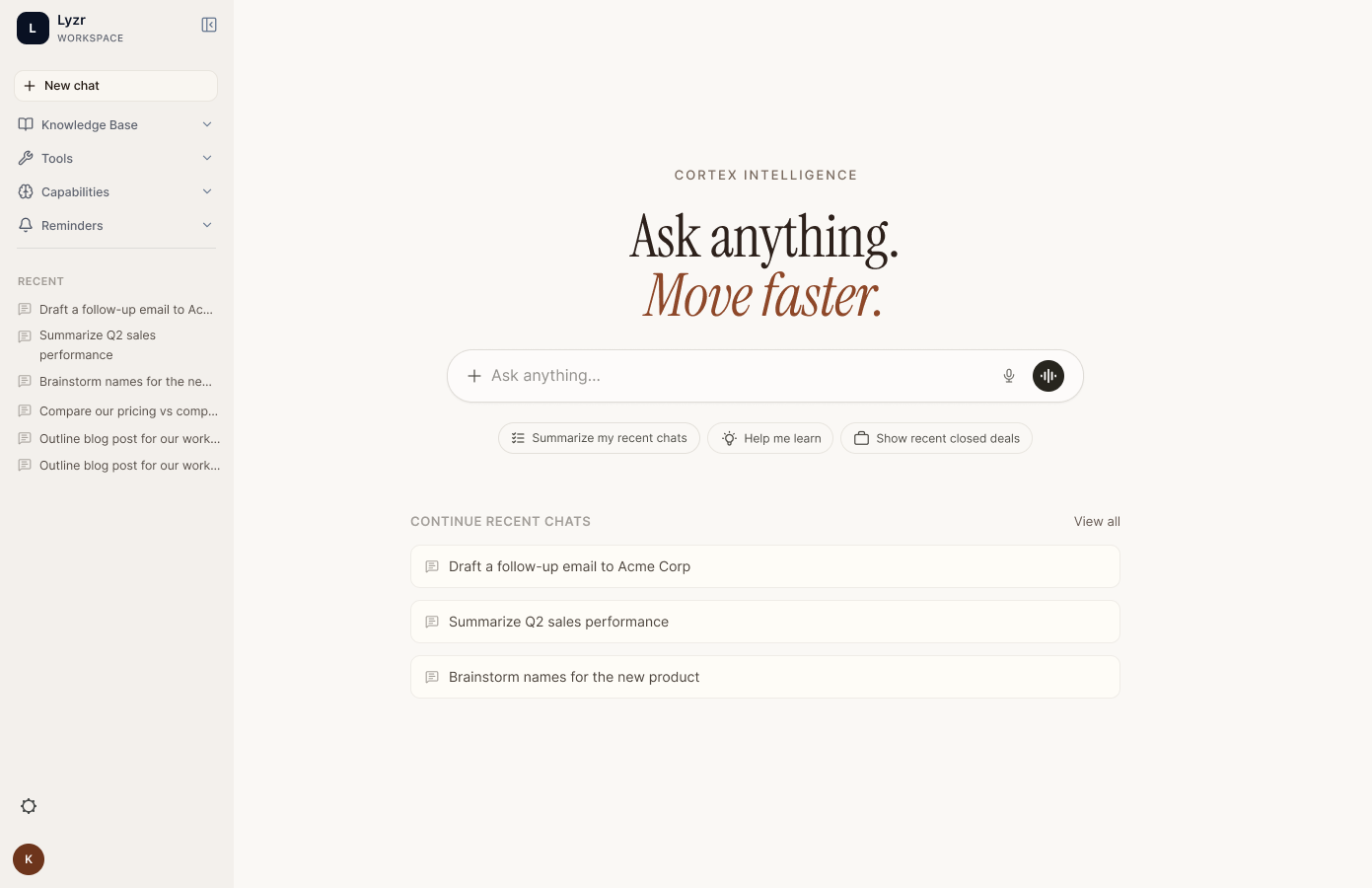
Copilot workspace
The workspace anchors the experience so AI output has a place to live beyond a conversation thread.
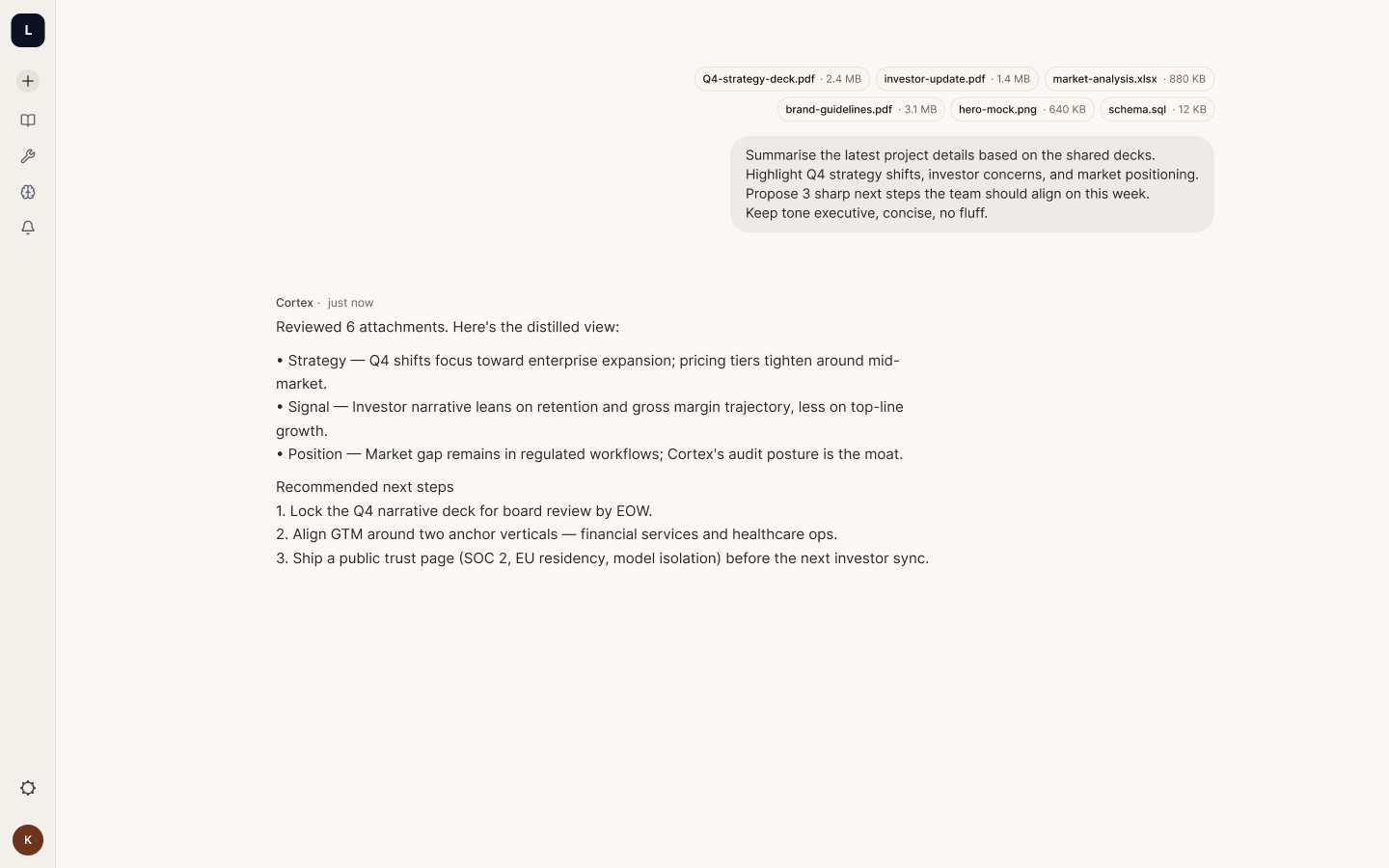
Structured AI response
A summary-first response with expandable detail keeps dense research output scannable.
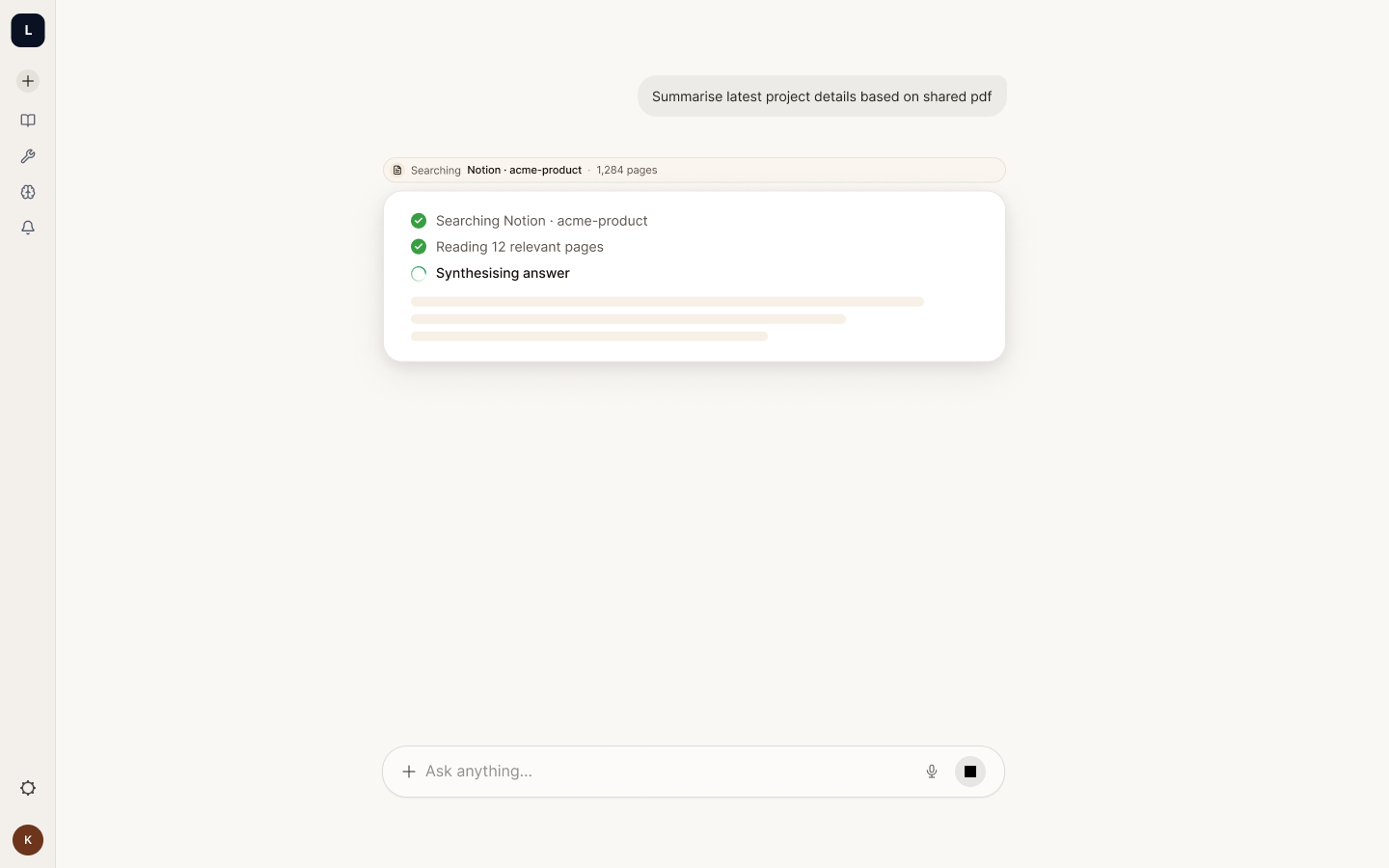
Sources and provenance
Every answer carries what it was based on, so users can verify before they rely on it.
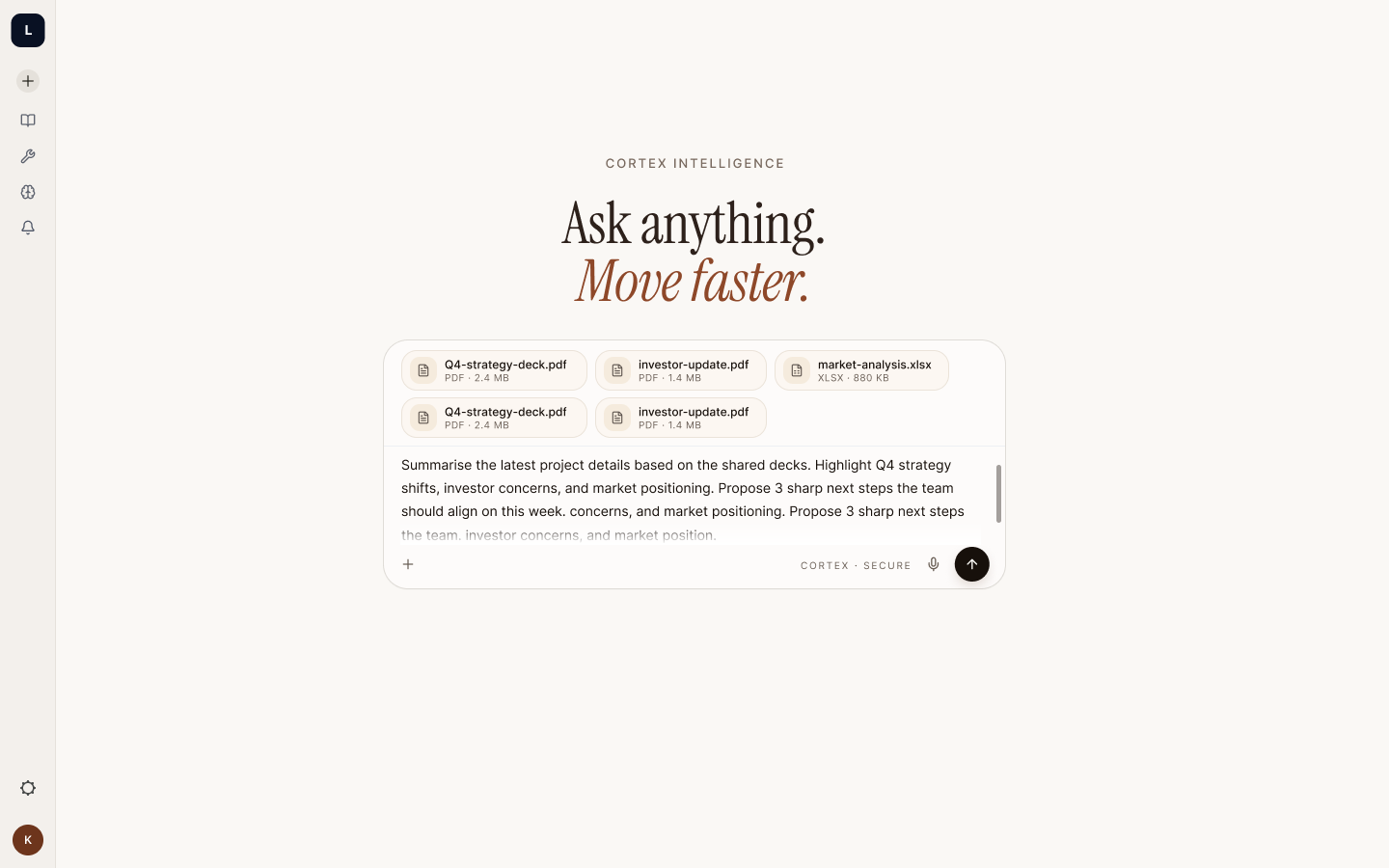
Refinement in place
Steering an answer mid-task avoids the restart cost that makes copilots feel unreliable.
Outcome
- Redesigned the Cortex AI Copilot platform end to end, with its design system and component library.
- Built reusable patterns so new AI workflows can reuse one consistent experience instead of new one-off screens.
- Results were not measured during this project.
A stronger foundation for Cortex to evolve. The work improved the clarity and consistency of the existing Cortex experience while establishing reusable patterns that could support new AI workflows.
What I learned
AI UX is more than designing the conversation. The quality of an AI product depends on everything around the conversation—context, hierarchy, states, feedback, and actions. Designing Cortex reinforced the importance of creating systems that can evolve with AI rather than designing interfaces around a single interaction.