06 · Concept · 2024
Inventory Dashboard
Stock tracking anchored on exceptions
- Concept
- Operations
- Inventory
Overview
An inventory experience designed to surface problems before they become costly. I designed an inventory interface that helps operations teams quickly identify low stock, slow-moving products, forecast gaps, and other exceptions instead of searching through raw inventory data. The experience prioritizes what needs attention first while keeping deeper product, order, and customer details accessible.
The problem
Important inventory issues are easy to miss in data-heavy systems. Traditional inventory interfaces often rely on large tables that make teams manually search for exceptions. The goal was to shift the experience from “Search through data → Find a problem” to “See the problem → Understand it → Act.”
My role
- Product Designer focused on restructuring inventory information around exceptions, designing alerts and action patterns, creating a clear scanning hierarchy, improving product and order workflows, and developing reusable UI patterns.
Context
Operations teams need visibility at the right moment. A missed stock-out or delayed action can quickly affect operations, so the interface needed to make important problems visible without forcing users to monitor every data point.
Challenge
Exception visibility
Critical issues can disappear inside comprehensive views.
Actionability
Teams often need to act quickly rather than investigate large amounts of data.
Information overload
Dense operational data can make the real problem hard to see.
Approach
- 01
Design around exceptions — Organized the experience around low stock, slow movers, forecast misses, and other important signals.
- 02
Bring actions closer — Placed relevant actions alongside the problem they help resolve.
- 03
Support progressive investigation — Surface the key signal first while keeping deeper product, order, and customer information accessible when needed.
Key UX decisions
- Problem
- Important inventory problems get buried in routine data.
- Decision
- Make problems impossible to miss — Prioritized alerts and anomalies above routine inventory data so users can immediately see what needs attention.
- Why it mattered
- Users should identify issues before they become operational problems.
- Problem
- Too much detail makes the signal hard to understand.
- Decision
- Show the right level of detail — Surface the most important information first and reveal deeper context progressively.
- Why it mattered
- Meaningful context should appear when needed, not before it is useful.
- Problem
- Action often happens too far from the issue itself.
- Decision
- Keep action next to the signal — Keep relevant actions close to the inventory issue so users can move from problem to resolution quickly.
- Why it mattered
- The link between issue and action improves response speed and reduces friction.
User flow
- 01
Open dashboard
Start with the operational overview
- 02
Scan exceptions
Identify what needs attention
- 03
Identify issue
Review the exception in context
- 04
Review details
Inspect product, order and customer information
- 05
Take action
Resolve the issue or move it forward
- 06
Monitor resolution
Check the outcome and close the loop
Design system
A visual system built for operational clarity. Reusable patterns across inventory metrics, status indicators, alerts, tables, product information, filters, quick actions, availability states, progress, and exception states. The goal was to make dense operational information easy to scan, understand, and act on consistently.
- Inventory metrics
- Display key operational signals without overwhelming the user.
- Status indicators
- Make urgency and risk clear at a glance.
- Alerts
- Surface exceptions before they become costly issues.
- Quick actions
- Keep action close to the inventory signal that triggered it.
Final experience
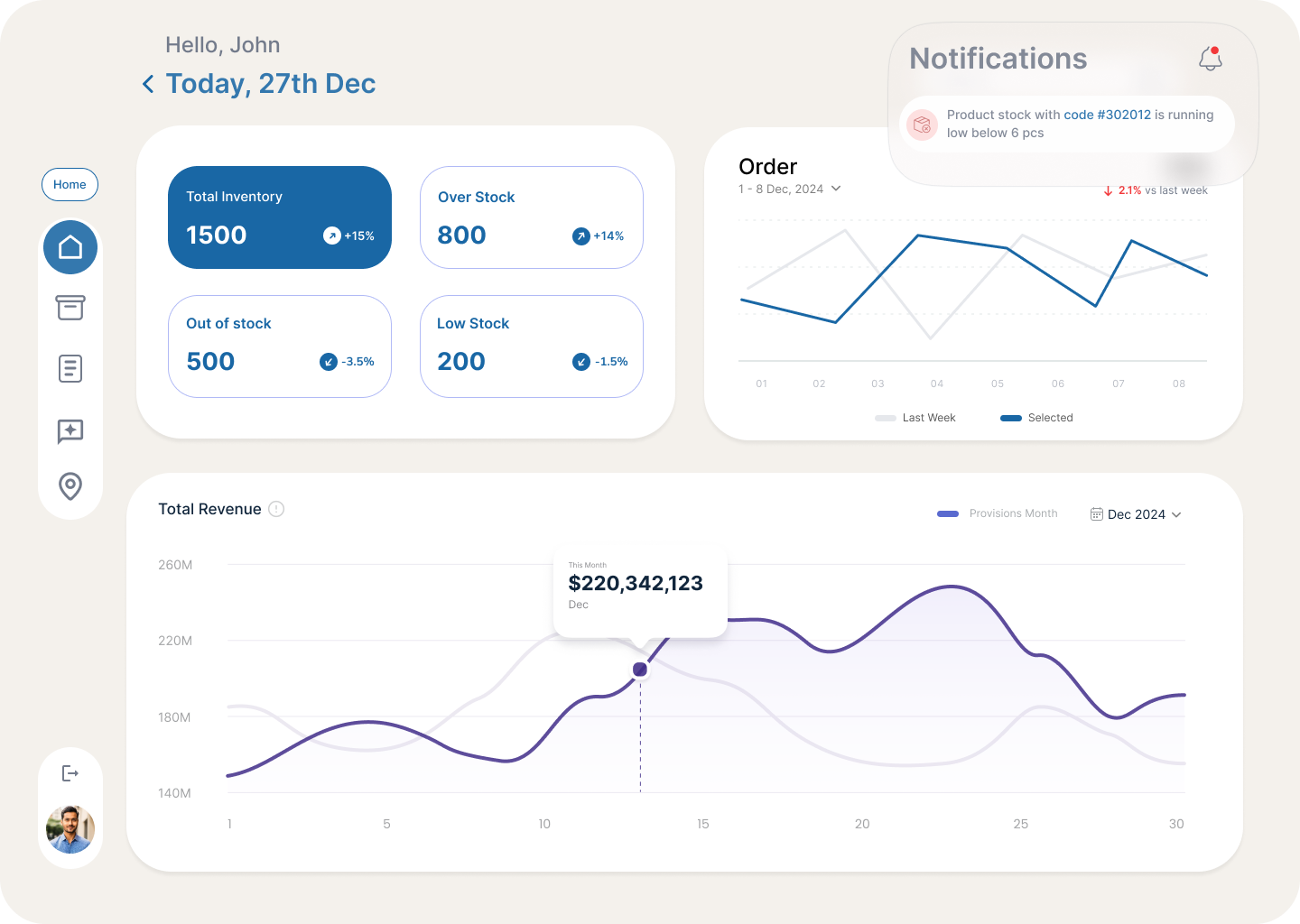
See what needs attention first
A consolidated view of stock health, exceptions, and priority signals helps the team identify operational risk at a glance.
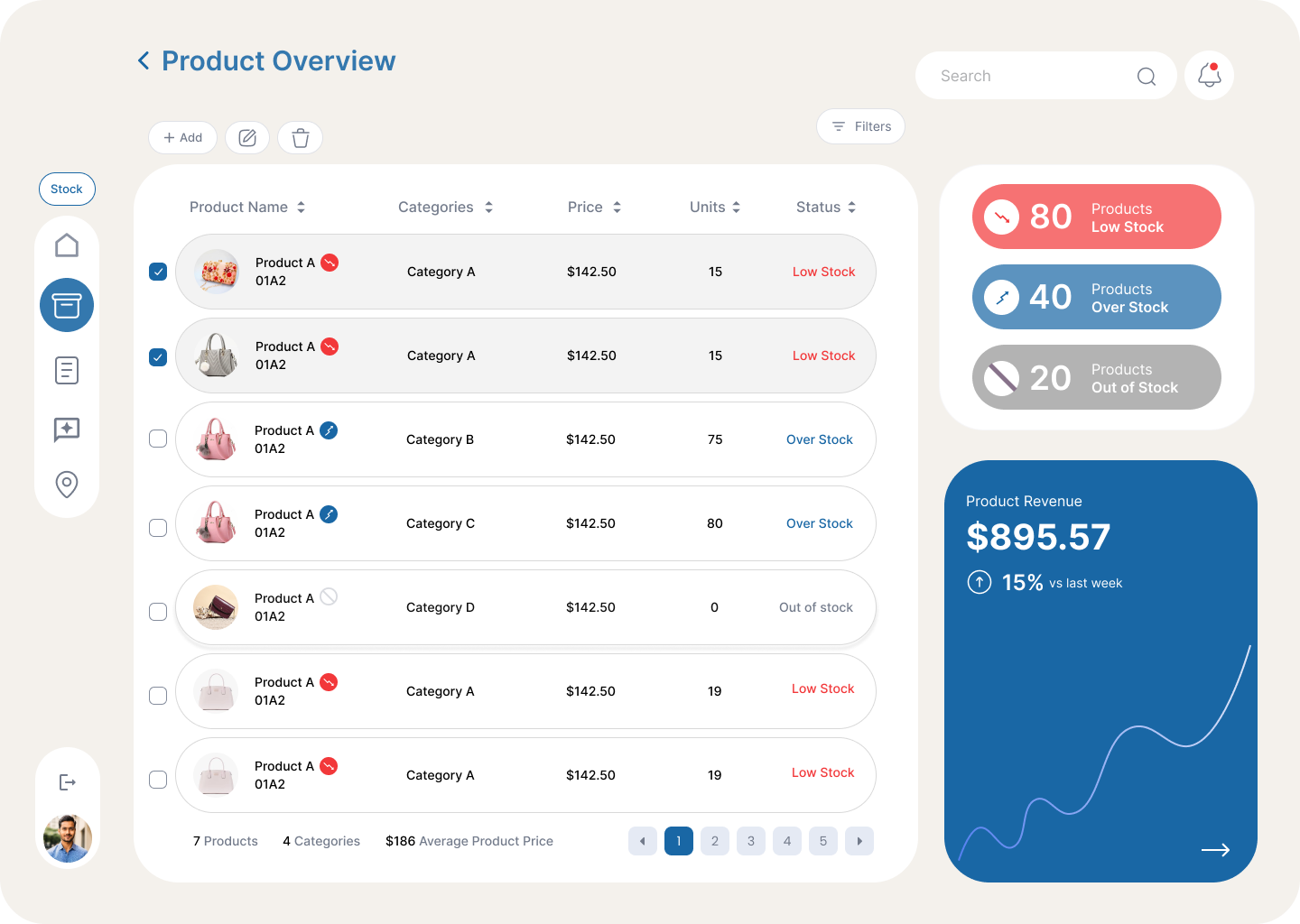
Move from signal to detail
The product view expands the issue into the relevant inventory context so teams can understand the problem before acting.
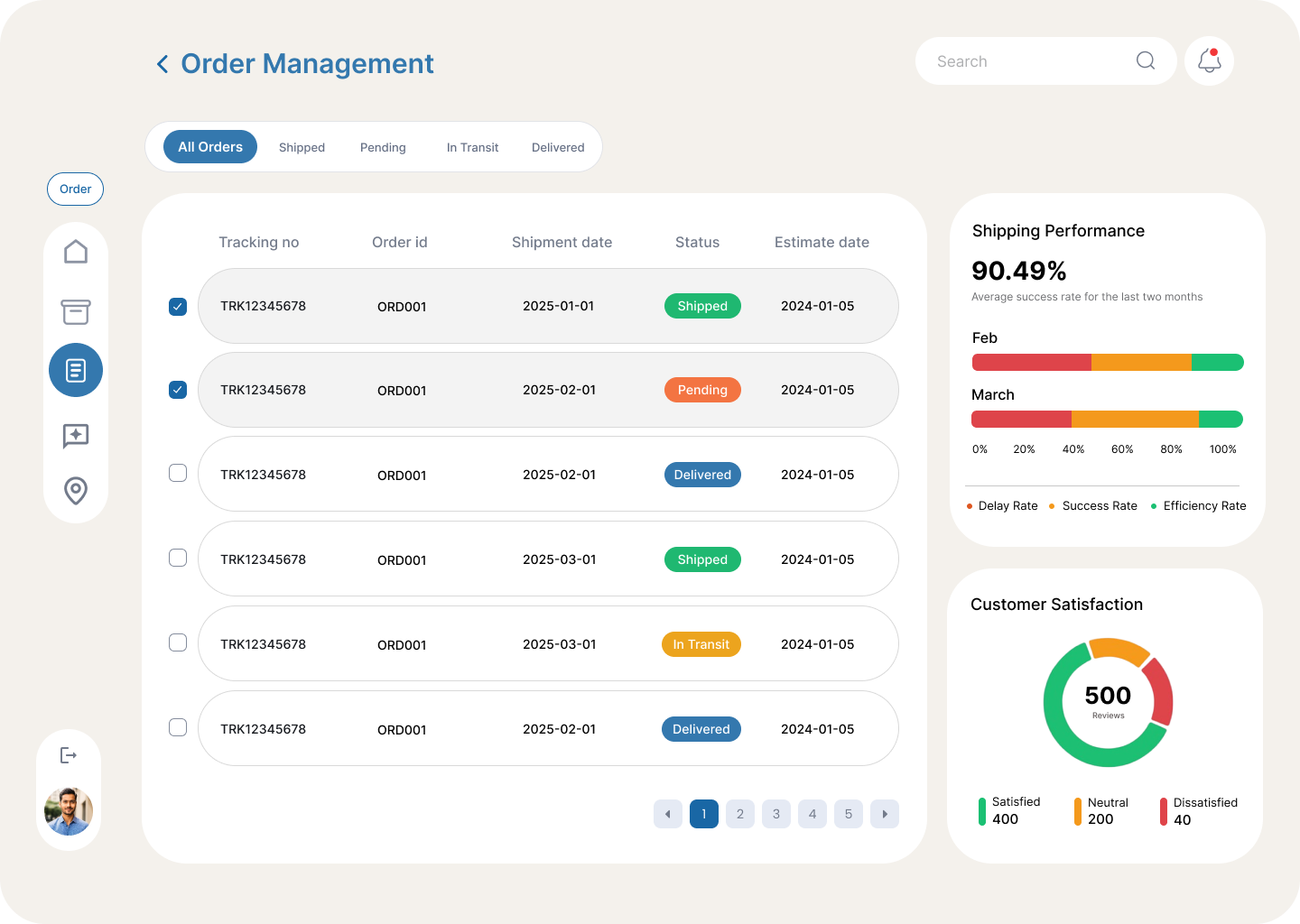
Keep inventory connected to operations
Order activity sits alongside stock signals so teams can see how inventory changes affect fulfilment and operational continuity.
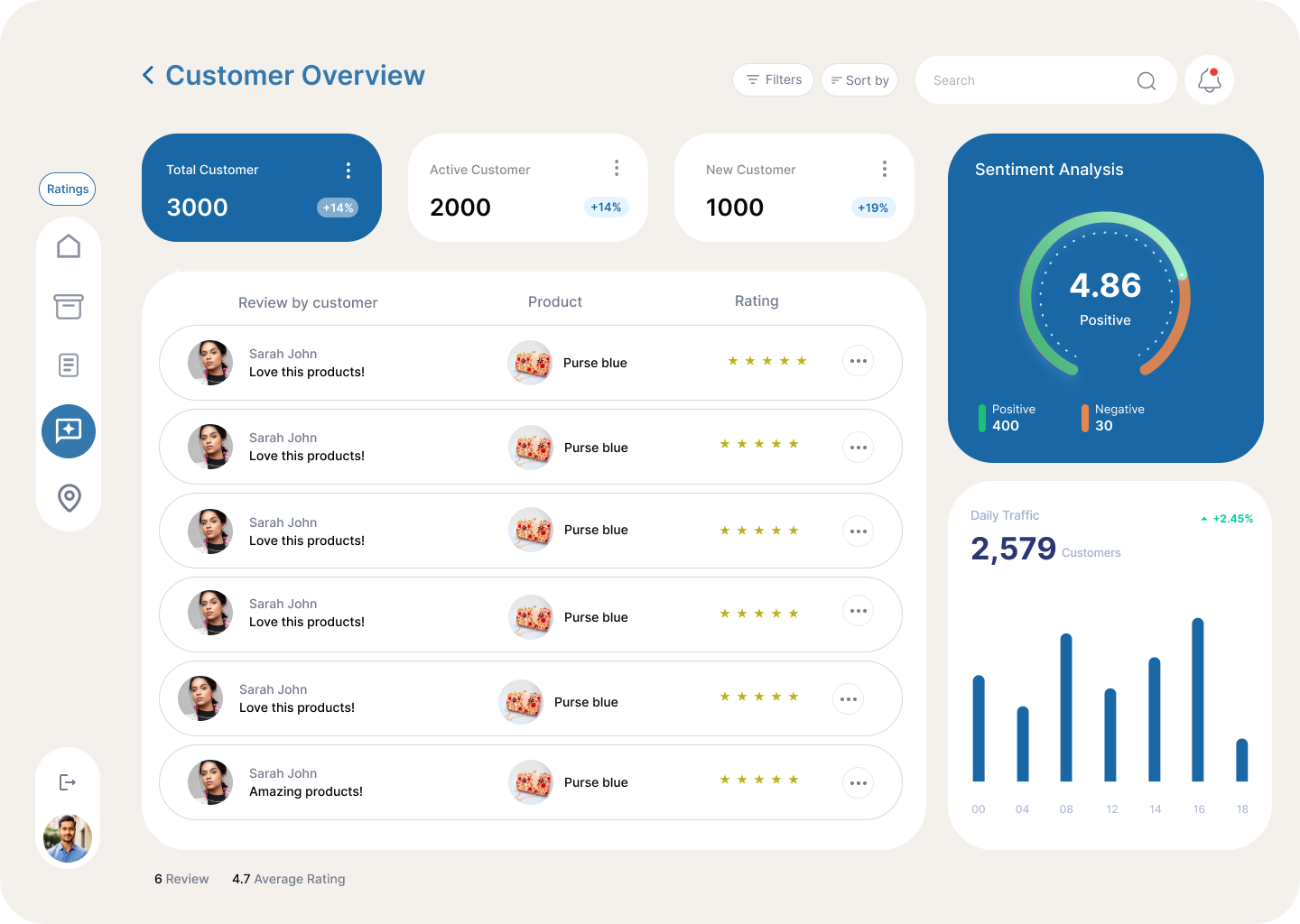
Understand the wider impact
Customer context rounds out the operational picture, helping teams judge the business impact of inventory problems before acting.
Outcome
- Restructured inventory around exceptions, so low stock, slow movers and forecast gaps surface first.
- Designed alert and action patterns, with product and order detail one step away.
- Concept project, not tested with users.
An exception-first inventory experience.
What I learned
An operational dashboard doesn't need to show everything first. It needs to show what matters first.